
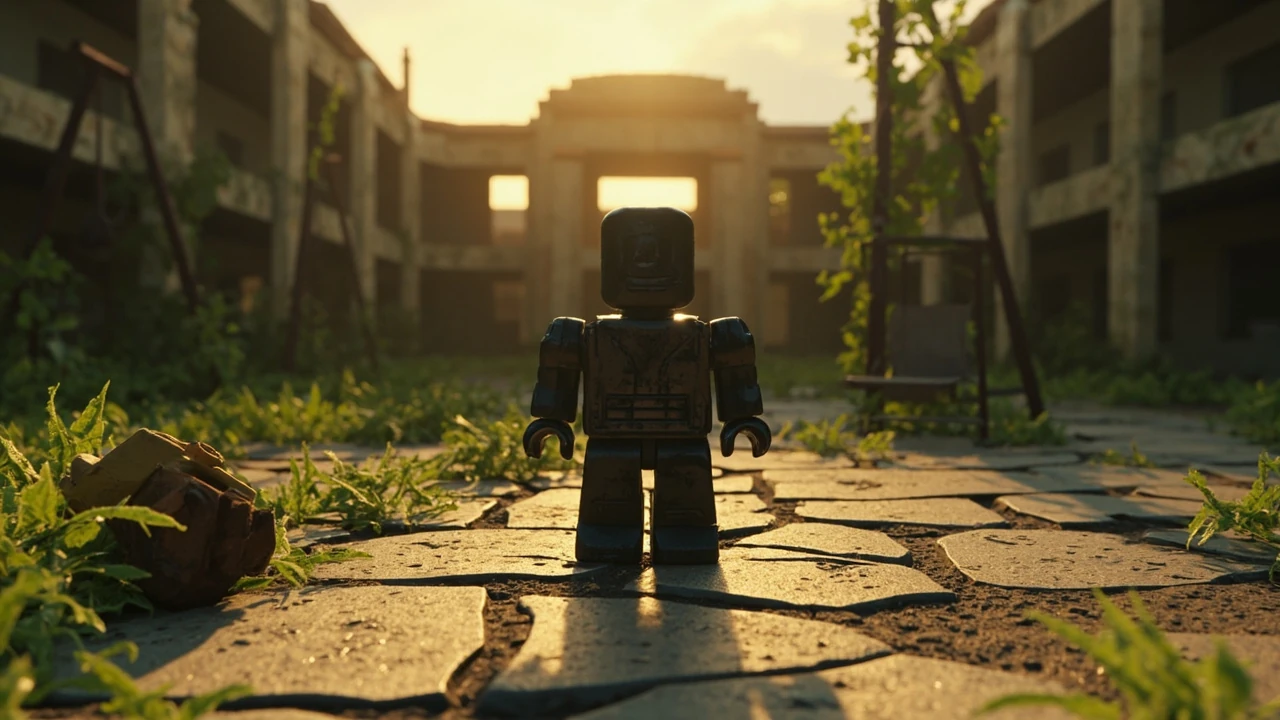
Forsaken Roblox: what the experience actually is and how it works
Forsaken Roblox is a community-built survival horror experience inside the Roblox platform, built on top of Roblox’s standard client and game-server model. It is not a separate game client, an emulator, or a mod. It is a place that runs on Roblox’s own servers, uses Roblox’s avatar system, and follows Roblox’s content and safety rules. For players, this means everything they already know about joining a Roblox experience still applies: a free account, the standard launcher, and the same discoverability, age guidance, and moderation that govern every other place on the platform.
For developers, the same framing matters more. Forsaken is interesting because it shows what a small team can do when they focus on atmosphere, pacing, and player feedback inside a sandbox that is not designed for traditional horror. Understanding the title means understanding how its maps, lighting, audio, scripting, and encounter design fit onto Roblox’s content pipeline, and which of those choices would translate to other experiences and which are tied to a specific genre convention.
This guide treats Forsaken as both a player experience and a case study. It walks through what the experience contains, how its mechanics work, what developers can learn from its structure, and what to check before recommending it to younger players or using it as a reference for a project.
The design context behind a Roblox horror experience
Roblox’s engine is generally associated with bright, social, user-generated content. That reputation is not wrong, but it is incomplete. The platform has supported darker themes for years, and the engine exposes the same lighting, audio, and scripting tools that any other place can use. What changes in a horror project is not the engine so much as the intent: the design becomes about controlling what the player sees, hears, and expects.
Survival horror depends on three things that are difficult to ship on a free, user-driven platform. First, a sense of permanent risk: the player has to believe that failure matters. Second, controlled pacing: loud, scripted moments have to be balanced with long quiet stretches, and the engine needs to support audio attenuation, lighting transitions, and trigger volumes without flicker. Third, atmosphere: the visual and audio language has to read as threatening even when the geometry is the same block-based toolkit used for thousands of other Roblox experiences.
Forsaken sits inside that design space. The interesting question is not “is it possible to do horror on Roblox” but “how does a team design a place that is recognizably horror while still respecting the platform’s safety, performance, and discoverability constraints.” The rest of this article looks at the mechanics, structure, and decisions behind that question.
What players actually do in Forsaken
From the player’s perspective, Forsaken Roblox presents itself as a series of short, tense scenarios. Most sessions start in a lobby or staging area where the player can read the objective, choose equipment if the experience allows it, and watch a brief briefing. From there, the player is moved into the active map, either alone or with a small group, and has to reach an extraction point or survive a fixed duration while the encounter escalates.
Common player actions include exploring dim corridors, finding keys or codes that unlock new areas, managing a flashlight or stamina meter, and reacting to AI-controlled threats that hunt by sound. Many Roblox horror places add a “sanity” or “fear” meter that influences the player’s vision or audio cues; whether Forsaken uses a meter of that kind depends on the current build, and players should treat the exact rules as version-specific.
The loop is intentionally short. A typical round runs between five and fifteen minutes. After the round ends, the player returns to the lobby, sees a summary of their run, and can queue again or leave. This short-loop structure mirrors the design pattern used by other Roblox horror experiences and by standalone games such as Phasmophobia or Lethal Company, where each session is a self-contained story rather than a long campaign.
How the Roblox platform shapes the experience
Because the experience runs on Roblox, several design choices are forced or at least strongly influenced by the platform.
- Engine constraints: Roblox’s rendering and physics pipeline favor block-based geometry, client-side prediction, and replicated server state. Horror effects that depend on volumetric lighting, real-time global illumination, or shader complexity have to be simplified or faked with clever use of parts, decals, and lights.
- Avatar system: Players enter the experience as their own Roblox avatar. Many horror places either hide the avatar behind a first-person camera, replace it with a generic character model, or apply a costume so that the social layer of Roblox does not break the atmosphere. Forsaken follows that pattern.
- Discoverability and age labels: Horror content has to be tagged appropriately. Roblox’s content maturity system influences where the experience appears, what age groups can see it in search, and what warning screens a player sees before joining. Developers building something similar should plan the rating, description, and thumbnail together, not as an afterthought.
- Moderation and safety: Roblox’s text chat, voice chat, and player reporting systems apply everywhere. A horror place does not get a pass on safety, and developers have to design around the same chat filters and reporting tools that govern any other experience.
These constraints are not flaws. They are the same constraints that any Roblox developer faces, and they push the design toward smart use of existing tools rather than expensive custom systems.
Core mechanics that drive the tension
Forsaken and similar Roblox horror experiences tend to share a small set of mechanics. None of them is unique, but their combination is what produces the feeling players describe.
Light and dark as a resource
Flashlights, headlamps, and room lights are not just visual decoration. In most survival horror loops, the player’s light source is a resource. It might have a battery, a flicker mechanic, or a noise penalty. Turning it off makes the player harder to detect but reduces their ability to navigate, read clues, or react to threats. This is the basic resource decision that drives a Forsaken round: do I light the room and risk being heard, or do I move in the dark and risk missing something?
Sound as a threat signal
Survival horror in any engine relies on audio cues more than visual ones. The player hears footsteps, breathing, distant doors, and music stingers that warn of an approaching encounter. In Roblox, the developer has access to 3D positional audio, attenuation curves, and the ability to script audio playback from any server event. A well-tuned place uses a layered audio mix: ambient loops that establish mood, localized sound effects that react to player position, and a music bed that escalates with the round timer or with proximity to a threat.
Threat AI built from pathfinding and triggers
AI in Roblox is built on a combination of PathfindingService for navigation and custom logic for behavior states. A horror enemy typically has three or four states: idle, patrol, alerted, and chase. The state machine is driven by a mix of line-of-sight, proximity volumes, and noise events. The result does not have to be smart. It has to feel unpredictable enough that the player cannot solve it in one round, and it has to respect the server’s authority so that exploits are limited.
Inventory pressure
Most Forsaken-style rounds restrict the player’s inventory. They can carry one weapon, one tool, and a small set of consumables. This forces choices: take the medkit or the extra key, take the flare or the map. Limited inventory is a classic survival horror technique because it converts every pickup into a meaningful decision and prevents the player from solving every problem the same way.
Round structure as pacing
Each round is short on purpose. The developer wants the player to be able to say “one more run” the way they would in a roguelite. The pacing inside a round is usually front-loaded with quiet exploration, mid-loaded with a scripted event or a chase, and end-loaded with either a tense escape or a final encounter. The lobby between rounds gives the player time to recover emotionally before the next session starts.
How a Roblox developer would actually build this
A short survival horror experience on Roblox is achievable for a small team. The technical pipeline is not exotic, but the order of work matters.
- Lock the concept and the rules first. Before any building, write down what the player can do, what they cannot do, what wins the round, and what loses it. The rule set is what makes the rest of the design consistent.
- Prototype the AI in a small room. Build one room, one light, and one enemy. Tune the pathfinding, the line-of-sight check, and the audio cues until the chase feels right. Resist the urge to build the full map first.
- Block out the map at the right scale. Survival horror corridors feel wrong if they are too wide, too short, or too symmetric. Test corridor width and ceiling height in a flat greybox before adding detail.
- Layer audio before final art. Ambient loops, footstep materials, and a music bed should land while the map is still grey, because pacing depends on the audio mix more than the textures.
- Add lighting as a system, not as a checklist. Decide which rooms are lit, which are dark, and how the lighting changes during a scripted event. Use a small number of light parts with well-tuned ranges rather than many small ones.
- Design the round script last. A round script is the timeline of what happens when: doors unlock, lights flicker, an enemy spawns, an audio cue plays. It is usually a chain of server events with timers, and it benefits from being written after the systems are stable.
The order matters because horror design compounds. A bad corridor width cannot be fixed by better lighting. A loud music bed cannot save weak AI. Working in this order prevents wasted polish on assets that will be replaced once the systems feel right.
Audio design choices specific to Roblox
Roblox’s audio system supports streaming and non-streaming sounds, attenuation, and playback priority. For a horror experience, the most important settings are usually the attenuation rolloff curve, the playback priority, and the ducking behavior between music and effects.
- Attenuation curves determine how quickly a sound fades with distance. A footstep at five meters should still be audible, but a footstep at fifty meters should not. Tuning the curve is what makes a threat feel local rather than ambient.
- Playback priority lets important sounds cut through busy scenes. A heart-beat effect that signals an approaching threat should outrank an ambient hum if the audio engine has to drop something.
- Music ducking lowers the music volume when a key sound effect plays. This is the standard technique for making a single stinger feel important, and it is essential for scripted jump moments.
For a developer building a Forsaken-like place, the practical advice is to keep the audio budget honest. For additional context, Roblox enforces limits on the number of simultaneously playing sounds, and a busy audio scene can produce dropouts that break the mood. Keep ambient loops short, prefer looped material over long stems, and use priority carefully.
Lighting, fog, and atmosphere
Lighting is the most visible part of a horror experience on Roblox, and it is also the most over-tuned in amateur projects. The right approach is restraint.
A typical Forsaken-style scene uses a small number of light parts with carefully tuned range, brightness, and color. Spotlights with narrow cones are used to draw the player’s eye to a specific prop. Point lights with limited range create pools of light in otherwise dark rooms. A single global light at very low intensity provides the minimum visibility the player needs to navigate.
Fog is a separate decision. Roblox supports atmosphere and lighting effects that can simulate distance fog, color grading, and time-of-day shifts. In horror, fog is used to hide the edges of the map and to reduce the player’s ability to see far away, which keeps the encounter local. A common mistake is to push fog density so high that the player cannot read their own hands. The goal is reduced visibility, not blindness.
Color also matters. Cool blue and desaturated green tend to feel clinical and threatening. Warm amber and red signal danger or human warmth. A horror scene usually alternates between cool exploration and warm threat, with the warm side reserved for the moment a chase starts.
Performance and platform constraints
Roblox runs on a wide range of devices, from low-end laptops to current consoles and phones. A horror experience that pushes too many parts, lights, or scripts will stutter on the lower end of that range, and stutter destroys horror faster than any other flaw.
The practical targets for a Forsaken-like experience are conservative. Keep the active part count per region low, use unions or meshes for repeated geometry, and prefer a small number of large light parts over many small ones. For scripting, prefer server events that fire on state changes rather than per-frame Heartbeat checks, and batch client updates where possible.
For a player, the result is that the experience either feels smooth or it does not feel like a horror game at all. A frame drop during a chase is the same as losing the chase, so the developer has to design for the worst device they intend to support, not the best.
Safety, age labels, and what to check before playing
Because the focus keyword names a Roblox experience with horror themes, the safety dimension cannot be an afterthought. Roblox enforces content classifications, and a horror place has to be tagged honestly. Before a parent, a teacher, or a younger player joins, the following checks are worth doing.
| What to check | Why it matters | Where to look |
|---|---|---|
| Content maturity label | Determines whether the experience is appropriate for the player’s age and whether it appears in their default search results. | Experience page, thumbnail, and join screen. |
| Description and warnings | Tells the player what kind of content to expect, including jump scares, dark scenes, or loud audio. | Experience page, developer description, and the join prompt. |
| Voice chat and text chat settings | Horror experiences often attract random voice chat. Players who do not want to be surprised by voice should leave voice off or set it to friends only. | Roblox privacy settings before joining. |
| Reporting tools | Every Roblox experience has the same report and block tools. Knowing where they are is the simplest safety control. | In-experience player menu, Roblox support pages. |
| Session length and screen time | Horror loops are designed to invite one more round. Plan a session limit before joining. | Family controls on the account or the device. |
None of these checks is unique to Forsaken. They apply to every Roblox horror place, and the same list is a useful pre-flight for any dark or scary content on the platform.
Comparison table: Forsaken-style Roblox horror vs. a standalone survival horror
Players sometimes assume that a Roblox horror experience is a watered-down version of a real survival horror game. The reality is more interesting: the two formats solve different problems and have different strengths.
| Dimension | Forsaken-style Roblox experience | Standalone survival horror |
|---|---|---|
| Distribution | Free inside Roblox, reached by search or a shared link. | Paid or free-to-play on a storefront, reached by a separate launcher. |
| Engine | Roblox engine, block-based geometry, replicated server state. | Custom engine such as Unity or Unreal, full asset pipeline. |
| Session length | Short, often five to fifteen minutes, designed for repeated runs. | Variable, from short runs to long campaigns. |
| Social layer | Optional friends, server browser, party support, chat filters. | Depends on the title, often opt-in multiplayer or solo only. |
| Graphics ceiling | Limited by platform rendering and device targets. | Higher ceiling, including volumetric lighting and complex shaders. |
| Safety and moderation | Roblox’s content classification, chat filters, and reporting apply. | Platform-specific storefront rules, no central chat moderation. |
| Update cadence | Live, can be patched in place by the developer. | Patches depend on the developer and the platform. |
| Monetization | Robux-based, limited by Roblox policy. | Storefront pricing, DLC, or subscription. |
| Audience | Younger on average, with a wide age range. | Targeted at a self-selected horror audience. |
| Modding and persistence | No external mods; in-place updates only. | Varies by title, often supports mods or community servers. |
The table is not a ranking. It is a tool for setting expectations. A player who wants a one-hour atmospheric campaign will not find it in a Forsaken-style place. A developer who wants a free, instantly distributable prototype of a horror idea will find Roblox a useful starting point.
What a developer can learn from studying Forsaken
Beyond the player-facing view, Forsaken is a useful case study for a small team that wants to design atmospheric content on Roblox. Three lessons stand out.
- Design the round before the map. The round is the product. A map without a clear round structure is just a level. Decide what the player does, what the threat does, and how the round ends before deciding what the corridors look like.
- Treat audio as a system, not as a layer. The most common reason a Roblox horror project feels flat is that audio was added last. Designing audio alongside geometry, with named cues for every scripted moment, prevents the project from feeling like a silent demo.
- Respect the platform’s social layer. Roblox is a social platform, and a horror place is also a social space. Decide how voice, chat, and player visibility will be handled before launch, because retrofitting safety decisions is harder than designing them in.
None of these lessons is original to Forsaken, and none of them is unique to horror. What makes them worth restating is that they are repeatedly relearned by teams that skip the prototype phase and start with art.
Common design mistakes to avoid
Roblox horror places fail in a small number of predictable ways. The list below is a useful pre-launch checklist for a developer and a useful mental model for a player trying to understand why a particular experience feels off.
- Permanent darkness with no orientation cues. A player who cannot tell which way they came from is a player who quits. Provide at least one visual or audio landmark in every room.
- Jumpscares as the only mechanic. A jumpscare is a punctuation mark, not a story. If the round consists of ten minutes of nothing followed by a single jumpscare, the experience has not earned the moment.
- Enemies that know where the player is at all times. Threat has to feel earned. An enemy that always knows the player’s position turns the round into a chase, and a chase without relief becomes a sprint rather than a horror scene.
- Loud music drowning out cues. Music should support audio cues, not bury them. If the player cannot hear the footsteps that warn them of an approaching enemy, the audio mix is wrong.
- Ignoring the content classification. A horror place tagged with the wrong label will attract the wrong audience and draw moderation attention. Tag honestly, describe the experience accurately, and use the thumbnail to set expectations.
For parents and players: practical pre-flight
For a parent, a teacher, or a younger player, the pre-flight for a Forsaken Roblox session is short and worth doing every time.
- Read the experience page and the developer description. Look for the content label, the warning text, and any mention of voice chat.
- Check the Roblox privacy settings. Set voice chat to friends only or off, and review who can send direct messages.
- Decide on a session length in advance. The short-loop design is built to extend sessions, so an external timer helps.
- Use headphones. Horror audio is mixed for headphones, and a player on speakers will miss cues that the developer intended.
- Keep the report and block tools visible. If a session turns bad, the fastest exit is the platform’s own tools, not a restart of the client.
These steps are the same ones that any horror guide recommends for a standalone title. The platform changes the context, not the underlying advice.
How Forsaken fits into the wider Roblox horror scene
Forsaken is one of many horror experiences on Roblox. The platform has supported a steady stream of dark, atmospheric, and survival places for years, and the genre is large enough to have its own sub-communities, update cycles, and review culture. A player who enjoys Forsaken will usually find a short list of related experiences with similar pacing, similar tools, and similar design choices.
From a developer perspective, the scene is also a useful barometer. The experiences that hold attention tend to share the same handful of design decisions: a clear round structure, a tuned audio mix, conservative lighting, and a threat AI that respects line-of-sight and noise. The experiences that fail tend to share the opposite pattern: long corridors, loud music, and enemies that feel arbitrary.
Forsaken sits in the first group. Whether it is the right experience for a given player is a question that the rest of this guide helps answer.
Verifying versions and current rules
Like every active Roblox experience, Forsaken is updated in place. The mechanics, the maps, and the rewards can change between sessions, and the round rules in a build from a year ago may not match the current build. The reliable sources for current rules are the experience page itself, the developer’s official description, and any pinned community channels. Treat any third-party guide, including older videos, as a snapshot rather than as a current reference.
For a developer studying the experience, the same advice applies. A reproduction of Forsaken’s design that does not account for the current version of the platform, the current devices, and the current content rules will read as out of date. Design for the current Roblox, not for the Roblox that existed when the experience first launched.
Frequently asked questions
What is Forsaken Roblox in one sentence?
Forsaken Roblox is a community-built survival horror experience that runs on Roblox’s platform, with short rounds, atmospheric lighting, audio-driven threat cues, and a small inventory of tools that the player uses to survive or extract.
Is Forsaken Roblox a separate game client?
No. It is an experience inside the Roblox platform, not a separate launcher or an external client. The player joins it from the standard Roblox app, the same way they would join any other place on the platform.
Is Forsaken Roblox free to play?
Joining is free, the same as any other Roblox experience. Optional purchases inside the experience, if any, follow Roblox’s Robux-based system and the platform’s content rules.
What age group is Forsaken Roblox for?
That depends on the experience’s current content label, which is shown on its page. Horror themes and jump scares are not appropriate for all ages, and the platform’s content classification is the first source to check before joining.
Does Forsaken Roblox have voice chat?
Voice chat is a platform feature, not a per-experience feature, and the player’s Roblox privacy settings determine whether they hear or speak in voice. The experience itself can encourage or discourage voice use, but the underlying setting is the player’s account setting.
Can I play Forsaken Roblox with friends?
Most Roblox experiences of this type support private servers or party-based joining, and Forsaken follows the same pattern. Players should check the experience page for the current party support and the current maximum group size, because both can change with updates.
What devices can run Forsaken Roblox?
Roblox runs on PC, Mac, mobile, and a number of consoles. The actual performance of a heavy horror experience depends on the device class. Lower-end devices may see reduced lighting, fewer effects, or a lower frame rate, which can change the feel of a horror round.
How is the AI in Forsaken Roblox built?
The enemies in most Roblox horror experiences combine Roblox’s PathfindingService for navigation with custom state machines for behavior. The state machine handles line-of-sight checks, noise events, and chase logic, and the server keeps the threat’s position authoritative to limit exploits.
Can a Roblox developer build a Forsaken-like experience?
Yes. A small team with a clear round design, a tuned audio mix, a conservative lighting setup, and a simple AI state machine can ship a comparable experience. The platform’s content classification, safety tools, and discoverability rules apply in full, and they should be planned for from the start.
Where can I learn more about the platform that runs Forsaken?
The For additional context, Roblox article on Wikipedia is a useful starting point for the platform’s history, technology, and content policies. For current rules and developer documentation, the official Roblox developer hub is the authoritative source.

Leave a Reply